Style Infant Tailor Shop
Instructions:
Mouse or tap to playDescription
Style Infant Tailor Shop: A Beginner's Guide
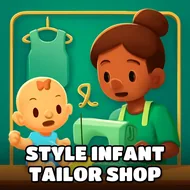
So you're running a tiny tailor shop for the littlest customers in town, and honestly, the concept is more charming than it has any right to be. Babies come in, parents wait, and you're the one deciding what goes on that mannequin in the window. Don't overthink your first outfit. Just click around, see what pieces are available, and get a feel for how the shop's layout works before you start chasing anything fancy. The whole point early on is figuring out the rhythm of the place, not nailing a perfect look on try one.
Control Scheme
There's nothing complicated hiding under the hood here. You use your mouse to click through outfits, fabrics, and little accessories on a desktop, and on a phone or tablet you just tap the same spots with your finger. Selecting an item usually swaps it right onto the baby model so you can see the change instantly, which makes experimenting pretty painless. There's no combo of keys to memorize, no menu buried three layers deep. It's built so a kid could pick it up in about ten seconds, and honestly that simplicity is kind of the appeal.
Pro-Level Advice
- Cycle through every clothing category once before committing, since some of the cuter combos aren't obvious at a glance.
- Match colors loosely instead of forcing a strict theme; babies' outfits look better a little playful and mismatched anyway.
- Pay attention to small accessories like hats or shoes since they change the overall vibe more than you'd expect.
- If a customer's request seems specific, reread it twice, small details in the shop window hints matter more than they seem.
- Take your time between customers rather than rushing, there's no punishment for pausing to compare a few looks side by side.
- Revisit outfits you've already tried on different babies, since skin tones and hair can totally change how a design reads.