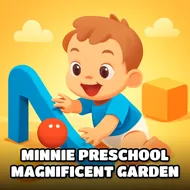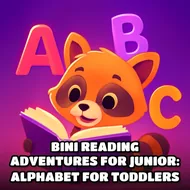
Infant Preschool Learning - For Toddlers & Preschool
Instructions:
Tap or clickDescription
Infant Preschool Learning - For Toddlers & Preschool Player Reviews and Tips
Winning Strategies
- Let your little one tap freely first, no wrong answers to worry about here, just colors and shapes waiting to be poked.
- Say the words out loud together as they play; hearing "apple" and "red" while tapping the screen sticks way better than silent clicking.
- Keep sessions short. Five or ten minutes is plenty for a toddler's attention span, then come back later for round two.
- Point at the screen before they do sometimes, just to build a little anticipation before the answer pops up.
- Repeat favorite screens. If your kid keeps tapping the kitty over and over, that's the lesson sinking in, not a glitch.
There's no real difficulty curve to speak of, and honestly that's the point. This isn't a game trying to trip anyone up. It's built around simple, friendly questions, what color is the apple, what does the number 1 look like, that sort of thing, so a two or three year old can poke at the screen and actually get somewhere without a parent hovering over every move. There's no story pushing you forward either, just a loose, cheerful journey through colors, animals, numbers and shapes, one tap at a time. It plays more like a picture book that talks back than a traditional game, and that's exactly what makes it work for the age group it's aimed at.
Standout Features
- Runs on HTML5, so it loads straight in a browser without downloads or fuss.
- Bright, rounded characters and cute animal faces keep things visually inviting for young eyes.
- Controls are just tap or click, nothing else to learn, which matters a lot when your player is barely out of diapers.
- Covers a handful of early learning basics, colors, food, numbers, all mixed into one friendly package.
- Works equally for boys and girls, no gendered themes shoved in anywhere.
- Short, bite-sized screens mean it fits naturally into a toddler's shrinking patience window.