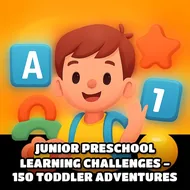
Junior Preschool Learning Challenges - 150 Toddler Adventures
Instructions:
Mouse ControlsDescription
Junior Preschool Learning Challenges - 150 Toddler Adventures In-Depth Review and Guide
Game mechanics and objective
This one's basically a giant grab-bag of mini activities aimed squarely at the preschool crowd, and honestly, that's the whole charm of it. Instead of one storyline or a set goal to chase, kids click through a menu and land on whatever catches their eye that day, be it a coloring page, a fruit-matching puzzle, or a little bus game with cartoon animals riding along. There's no losing here, no timer breathing down anyone's neck. A voice narrator walks little ones through letters, numbers, shapes and colors, and the whole thing is built around tapping, dragging, and pointing rather than anything twitchy or reflex-based.
What stands out is just how much variety gets packed in. One minute you're matching body parts to a cartoon kid, the next you're sorting vegetables or picking out which musical instrument makes which sound. The art style stays bright and rounded throughout, nothing sharp or scary, and the sound design leans into cheerful chimes and simple praise when an answer lands right. Parents handing over the tablet don't really need to hover, since wrong taps just prompt another try rather than any kind of penalty. It's less a "game" in the traditional sense and more a rotating carousel of small learning bites, which for a three or four year old attention span is exactly the point.
Controller & Keyboard Guide
- Mouse click or tap selects icons, letters, and objects on screen.
- Dragging with the mouse moves puzzle pieces, coloring tools, and matching items.
- No keyboard input needed at any point, which makes it toddler-friendly right away.
- Menu navigation runs entirely through clicking thumbnail icons for each mini activity.
Top Tips
- Let the child pick the activity themselves instead of steering them, it keeps interest higher.
- Turn up the volume a bit since the narration does a lot of the teaching work here.
- Rotate between drawing, puzzles, and letter games so one mode doesn't get stale fast.
- Sit nearby for the first few sessions just to explain the click-and-drag motion.